
Objective
The mandatory reading control feature allows you to define which users must confirm they have read a published document and track the status of completed readings, ensuring greater control over the dissemination of documented information.
INDEX
- Objective
- Prerequisites
- Step by step
- Set the required reading list.
- See the Mandatory Reading Control.
- Additional information
Prerequisites
To use this feature, you need to:
- The document must be registered in the system. To learn how to register an internal document, click here.
- The user has permission to Search documents. To learn more about viewing documents, click here.

- The user must have permission to edit documents. To learn more about editing internal documents, click here.

- The user must have permission to view the Required Reading Control.
 For more information about configuring permissions, click here.
Step by step
Set the required reading list.
Access the registration of a new or existing document and proceed to the Setting step. Then, check the option Notify user by email and configure mandatory reading. Select the users or groups who should receive the notification. Next, check the Mandatory reading option , enter the deadline that users will have to read the document, and save the registration.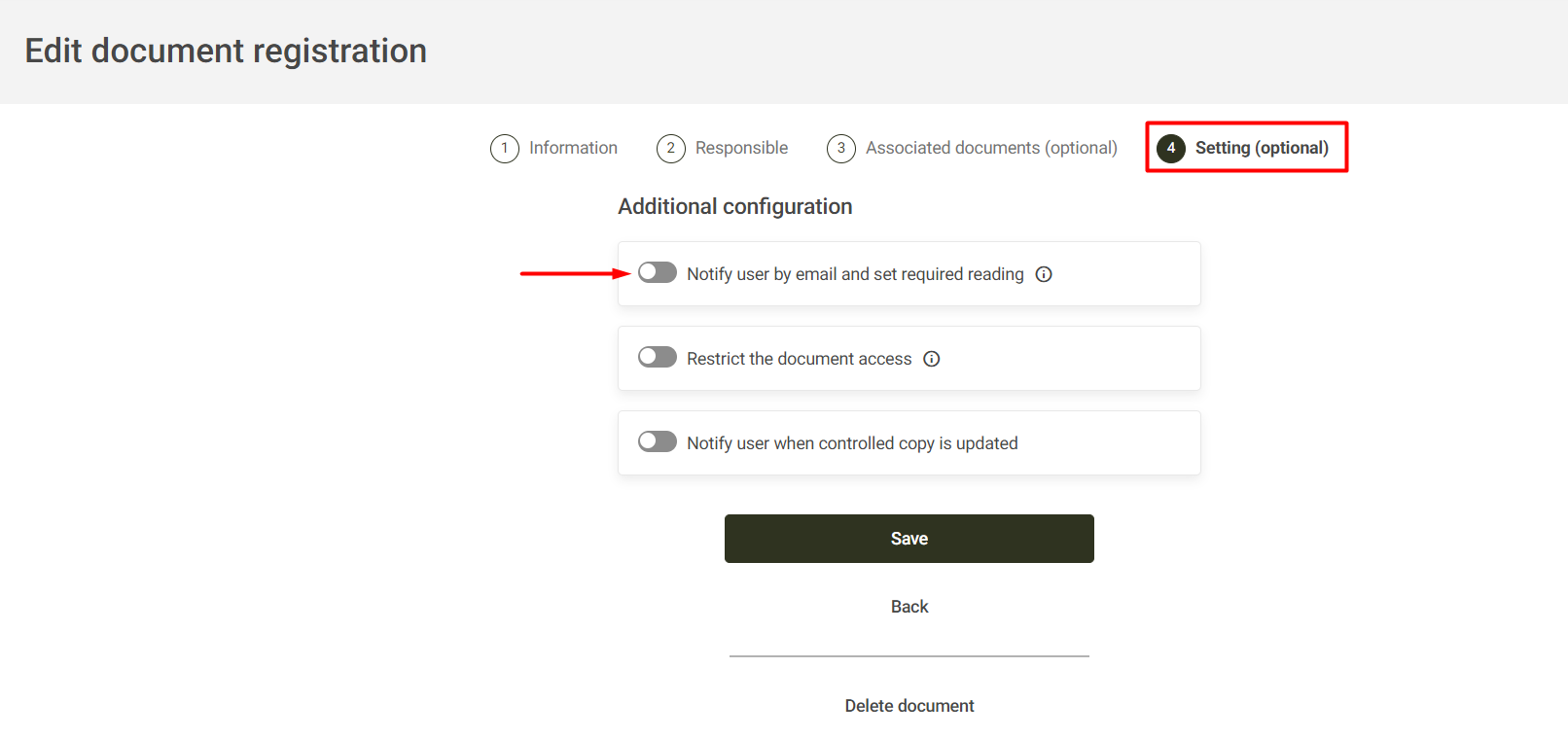
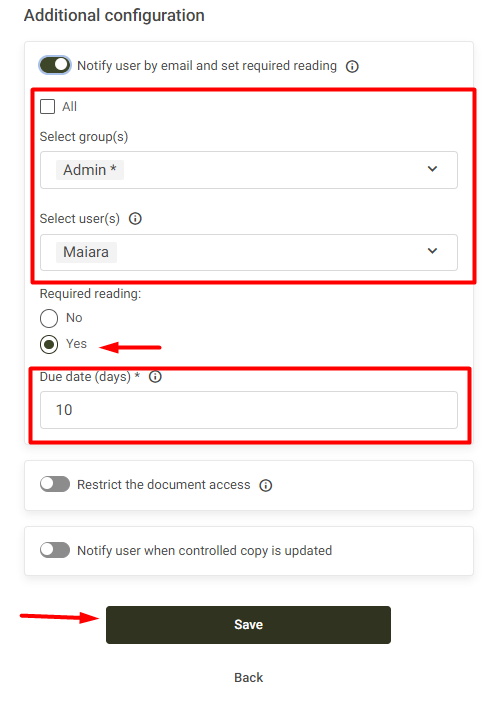
Notes:- The "Required Reading" option will only be available when at least one user or group is specified in the email delivery options.
- For new documents, publication automatically generates a mandatory reading request for the specified users. If the document is already published, changing the mandatory reading users and saving the registration will generate new requests. To learn how a user performs mandatory reading of a document, click here.
See the Mandatory Reading Control.
Access the internal document query screen, then click on Mandatory Reading Control.
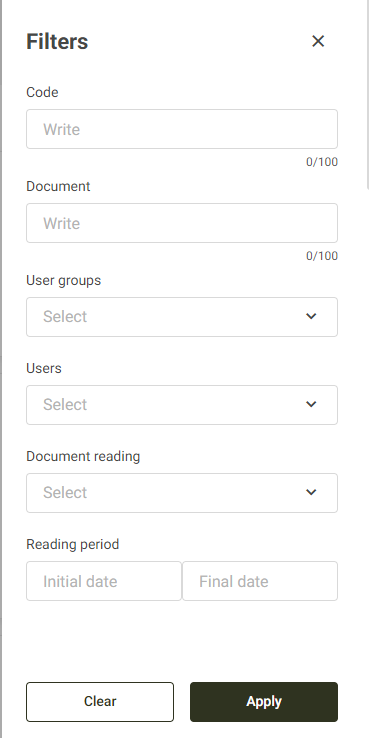
Use the available filters to locate the desired document or user and click Apply.
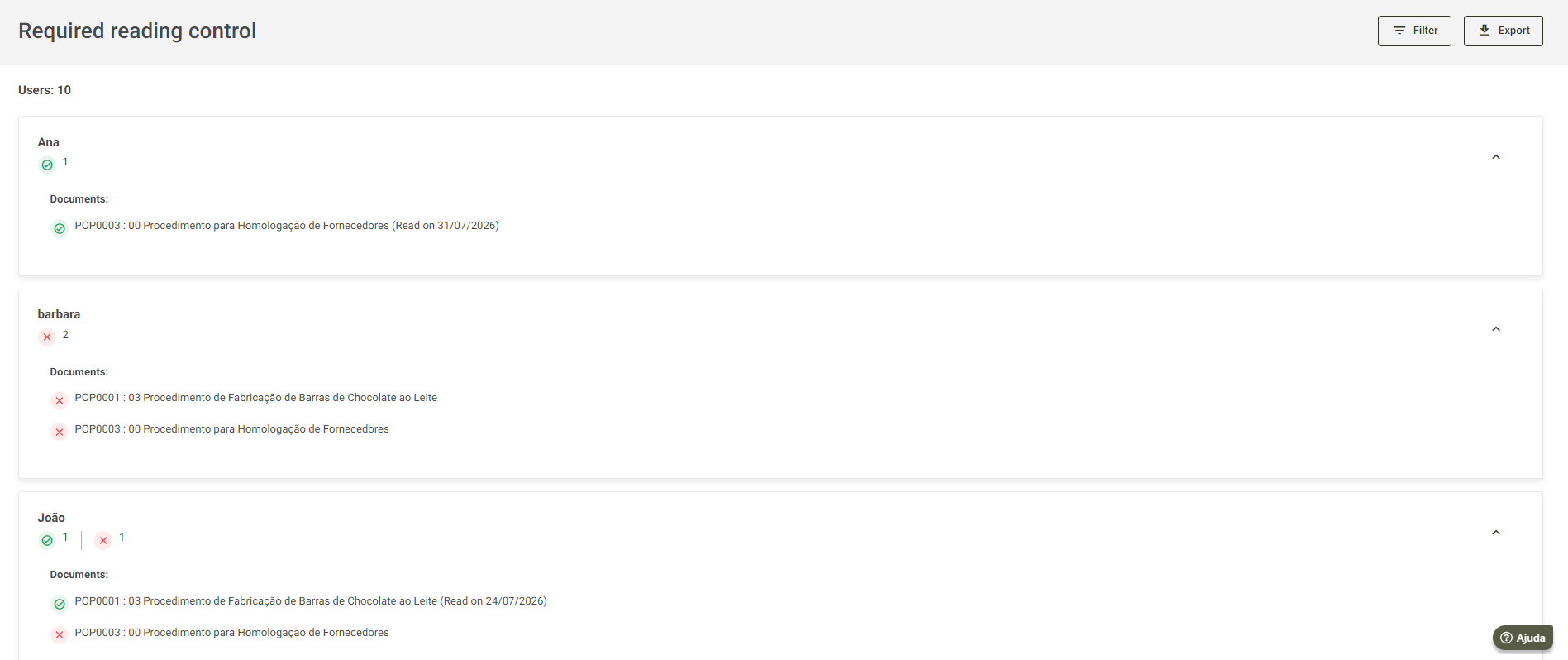
The query will display the reading status for each user.
Additional information
- The icon
 indicates that the document has been read.
 - The icon
 indicates that the reading is still pending.
 - Whenever a new revision of the document is published, the read status will be reset to Unread , requiring a new read confirmation.
- The Mandatory Reading Control screen also allows you to track the number of documents read and pending per user, as well as the date on which each reading was performed.