
Objective
Document consultation allows you to quickly locate documents registered in the system, using filters and search features to refine the results as needed.
Prerequisites
Have the permission Search documents, for more details about Documents module permissions, Click here.

Step-by-step
1. Access the Search tab > External Documents and then click on the icon Filter for llocate specific documents.

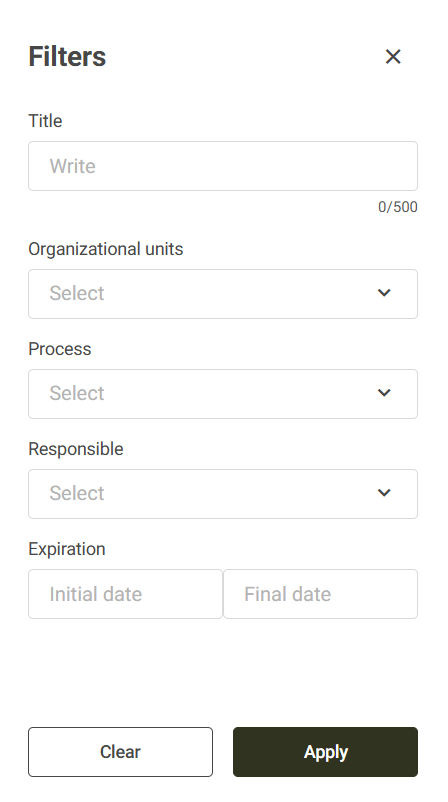
2. Fill in the desired search criteria. The available filters are:
- Title: Search by document title.
- Organizational Units: searches documents from one or more units.
- Process: searches documents linked to one or more processes.
- Responsible: searches directly for the user responsible for the document.
- Expiration: allows you to filter documents by expiration date, informing the start date and the end date.
3. The options defined in the filters will be displayed in the query header. To remove an applied filter, click the icon X next to the respective filter.
