
The Associated Documents Review functionality ensures that all documents linked to a primary document are reviewed whenever the primary document undergoes relevant changes.
Important: To use this functionality, the documents must be associated. For more information, click here.
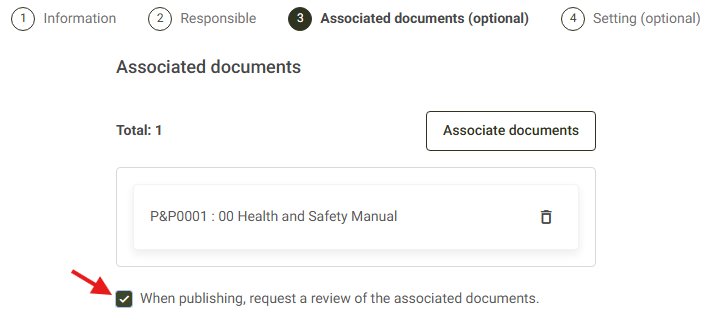
When creating or editing a document, enable the "When publishing, request a review of the associated documents." option. With this setting enabled, whenever the primary document is published, the system automatically creates a review request for all associated documents. For more information, click here.
When does the system create a review request?
The system automatically creates a review request for associated documents in the following situations:
- When the document is deactivated. (For more information, click here.)
- When the document is reactivated. (For more information, click here.)
- When the document is published. (For more information, click here.)
Where can I find the review request?
Review requests are available in the Tasks menu, under the Requests tab. For more information, click here.
Can I associate new documents after publication?
Yes. You can edit a published document to add new associated documents. For more information, click here.
However, if new documents are associated after the primary document has been published, the automatic review will only be triggered by the next action that generates review requests, such as a new publication, document deactivation, or document reactivation.