
Objective
Global search makes it possible to quickly and intuitively locate documents in the system by searching either the content of the files or their metadata.
Prerequisites
- Have the Search documents permission,
for more information on configuring permissions, click here.
Step by step
1. Click the icon , located in the upper-right corner of the screen.

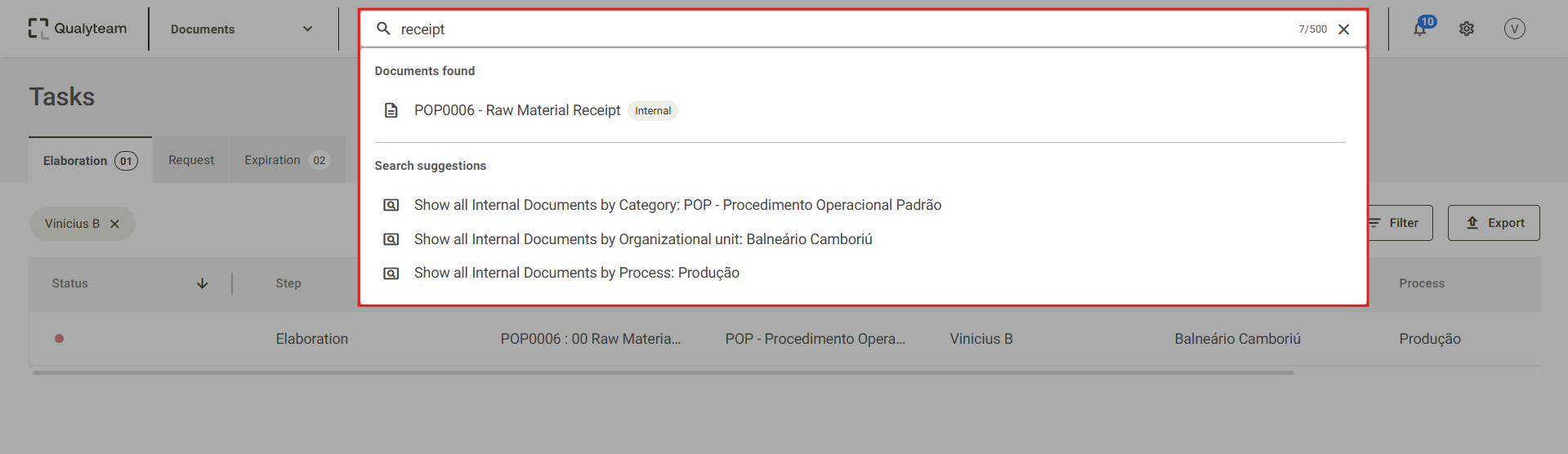
2. A field for searching documents will be displayed.

3. When you enter the desired search term, the system will display the documents found based on your search. It will also provide search suggestions to make it easier to locate documents.
Additional Information
The search can be performed in two ways:
- By content: Enter a word or phrase that appears in the file's content.
- By metadata: Search using information such as code, category, process, or organizational unit.