Deleting a nonconformity allows you to remove a record from the system when it is no longer needed, including nonconformities that have already been closed.
Prerequisites
To delete a nonconformity, the user must have two permissions enabled in the permission group to which they belong:
Search NCR: Allows the user to view nonconformities.
Delete NCR: Allows the user to delete nonconformities.
For more information about permission settings, click here.
Step-by-step
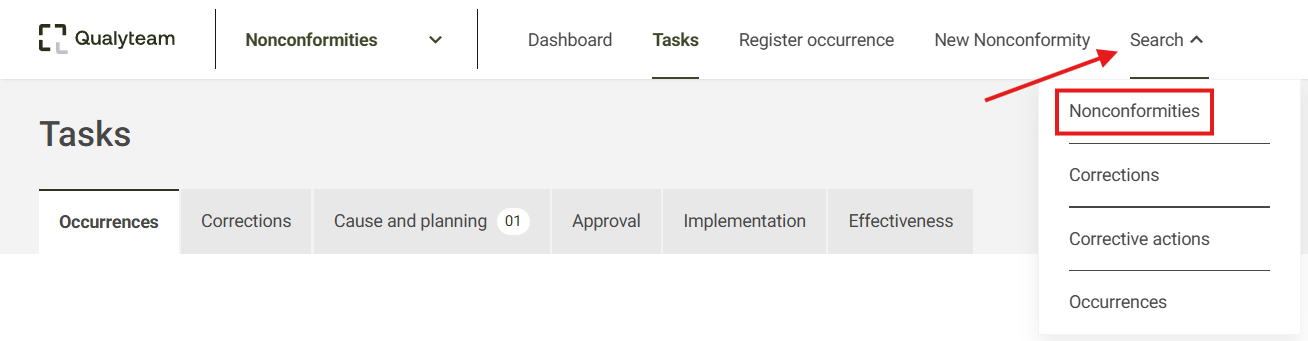
1. Go to the Search tab and click the Nonconformities option.
2. Locate the nonconformity you want to delete. If necessary, use the Filter option to make it easier to locate the record. For more information about the search filters, click here.
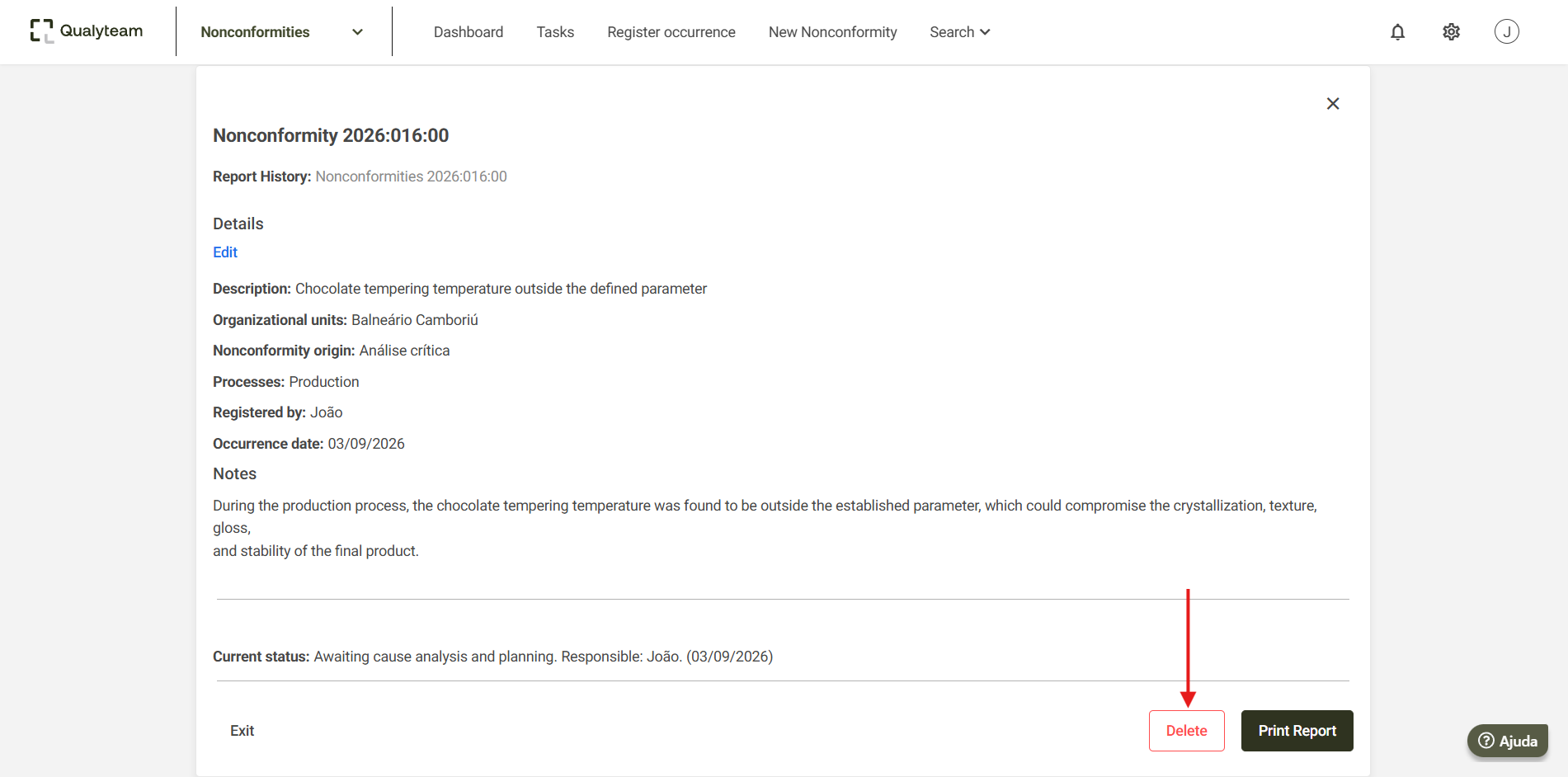
3. Click the desired nonconformity to access its details and, at the end of the report, click Delete.
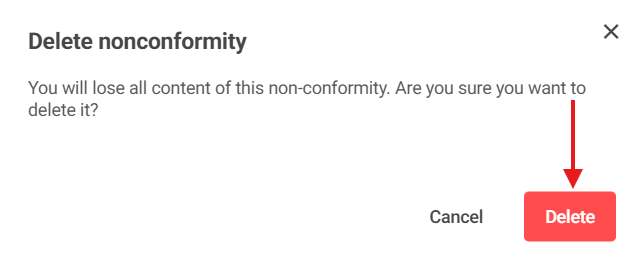
4. A screen will appear asking you to confirm the deletion. Click Delete again to confirm.
5. After confirming, the system will notify you that the nonconformity has been deleted.
Additional Information
WARNING: Once the deletion is confirmed, the data from the deleted nonconformity cannot be recovered.