
Objective
The Documents module allows editing the document registration whenever necessary, to adjust information that was erroneously registered in the document.
Prerequisites
- Only users with the permission below will be able to perform this action:

To learn more details about the module's permissions, click here.
Step-by-step
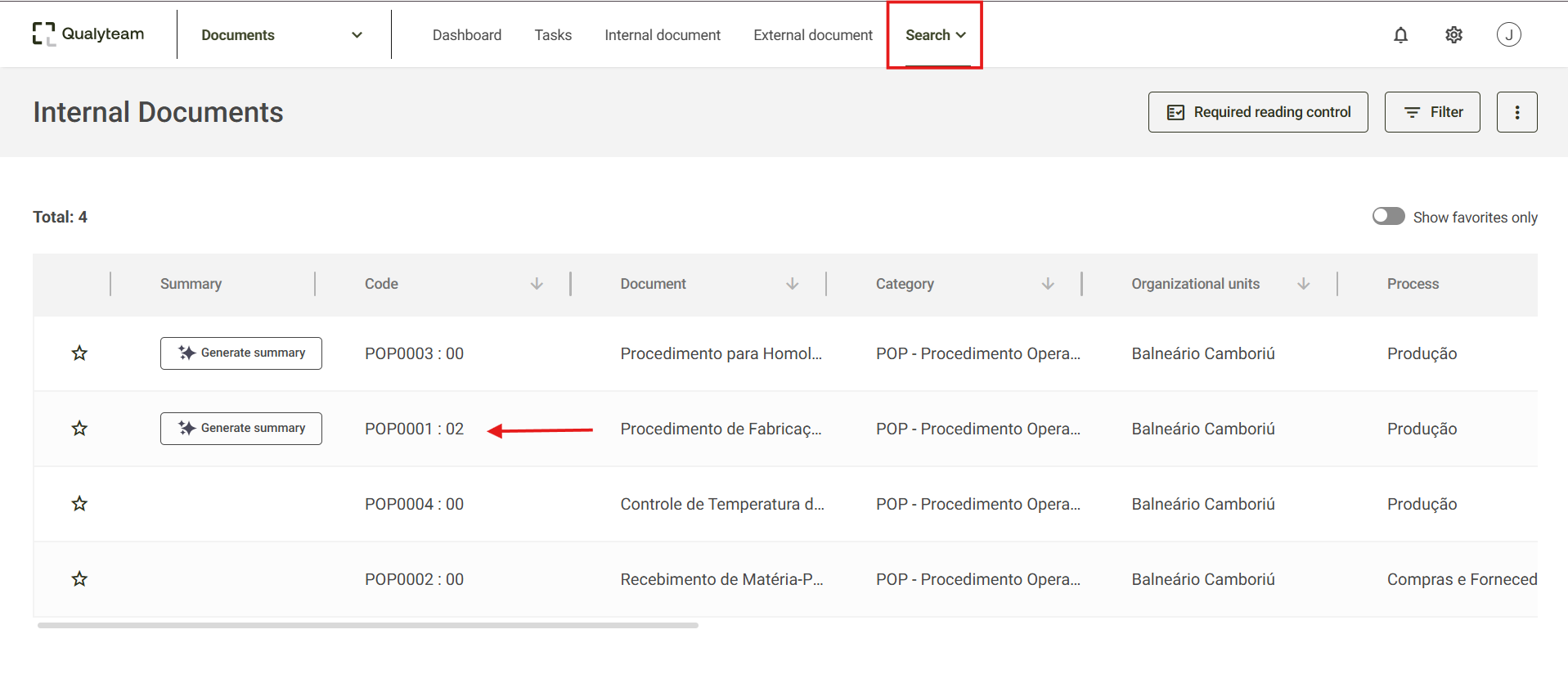
- Access the Search menu, locate and select the document whose registration you want to change. It is possible to use the filters to refine your search. For more details, click here.
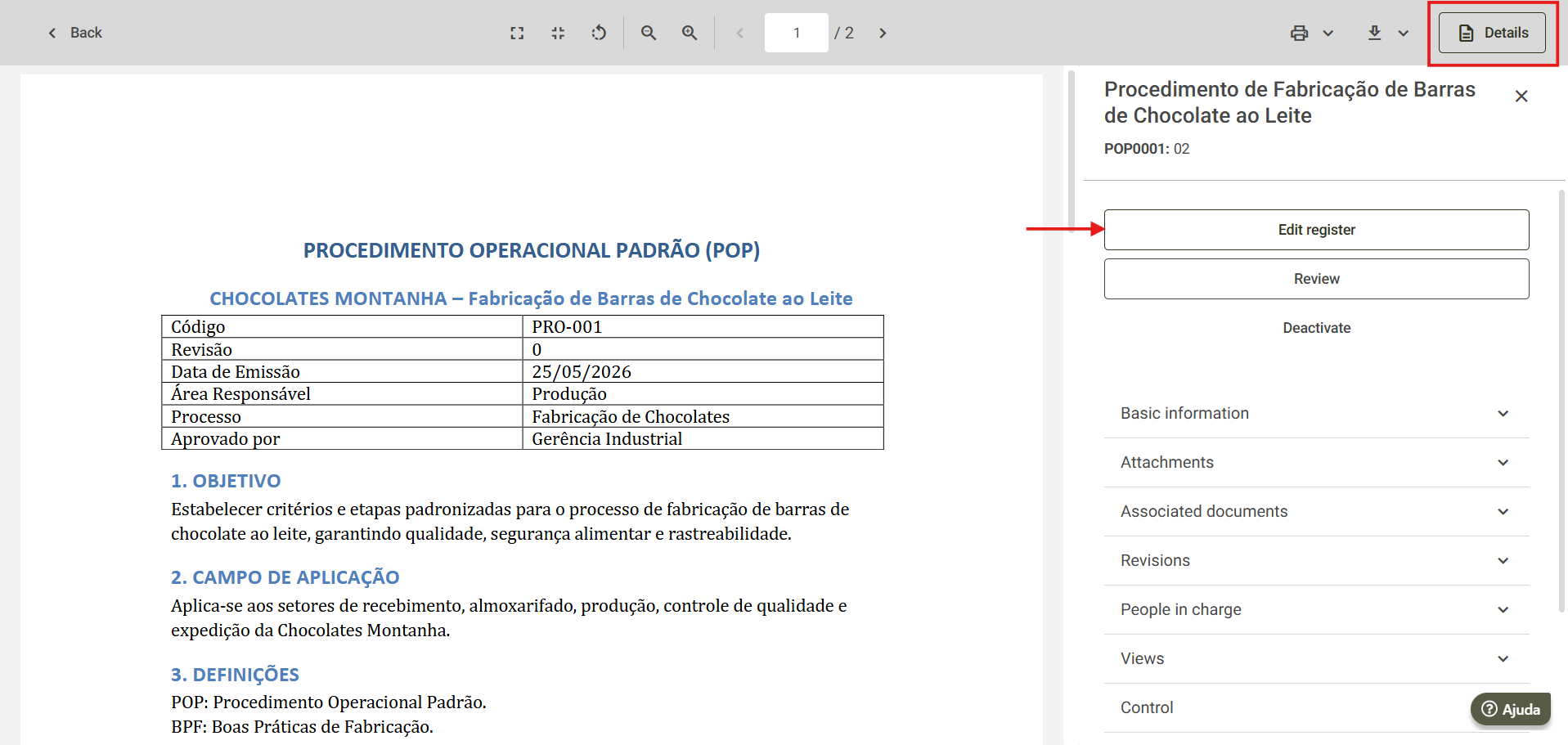
- Next, the screen with the document visualization will open, click on Details to expand the document's specific information, for more details on this option, click here. To edit the document registration, click on the Edit register option.
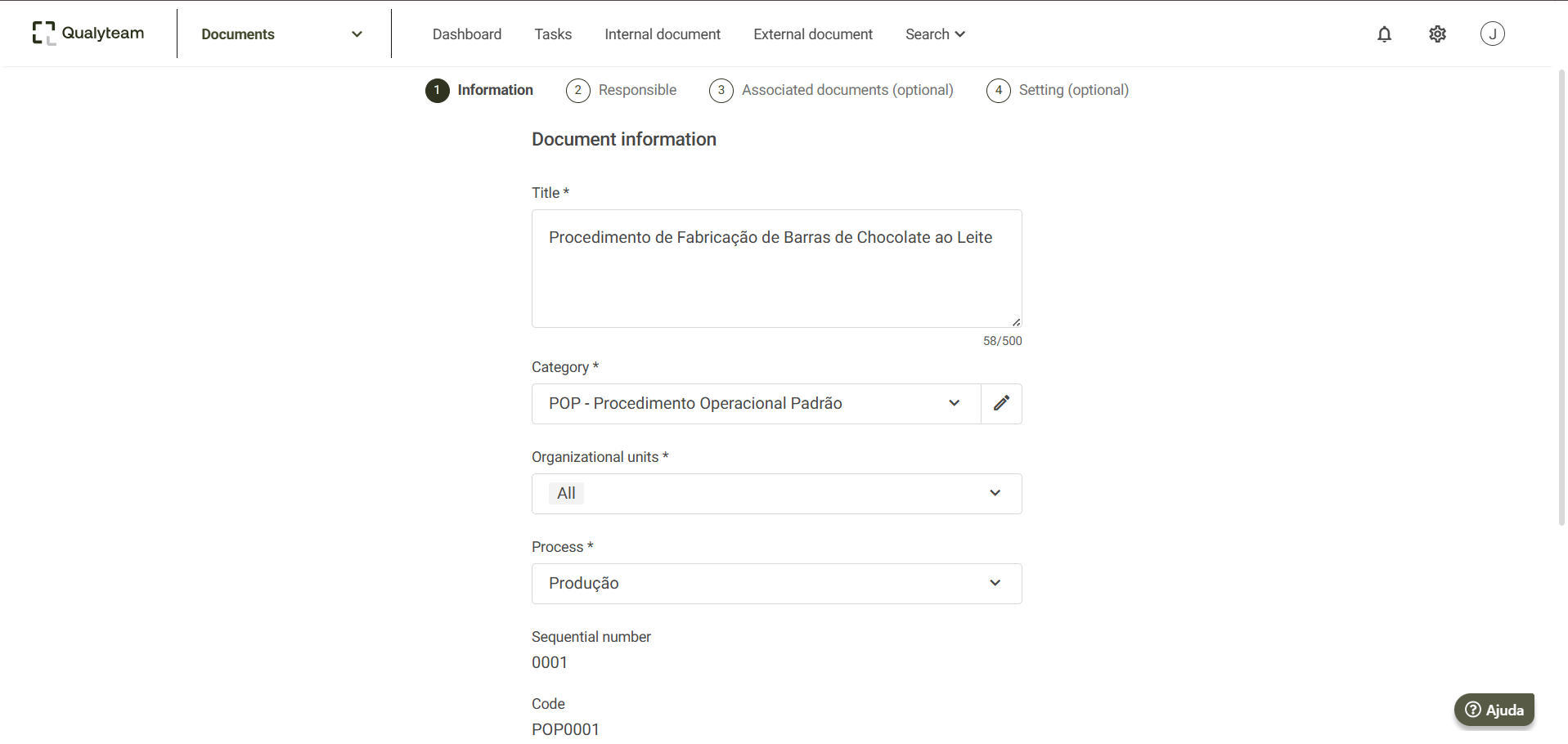
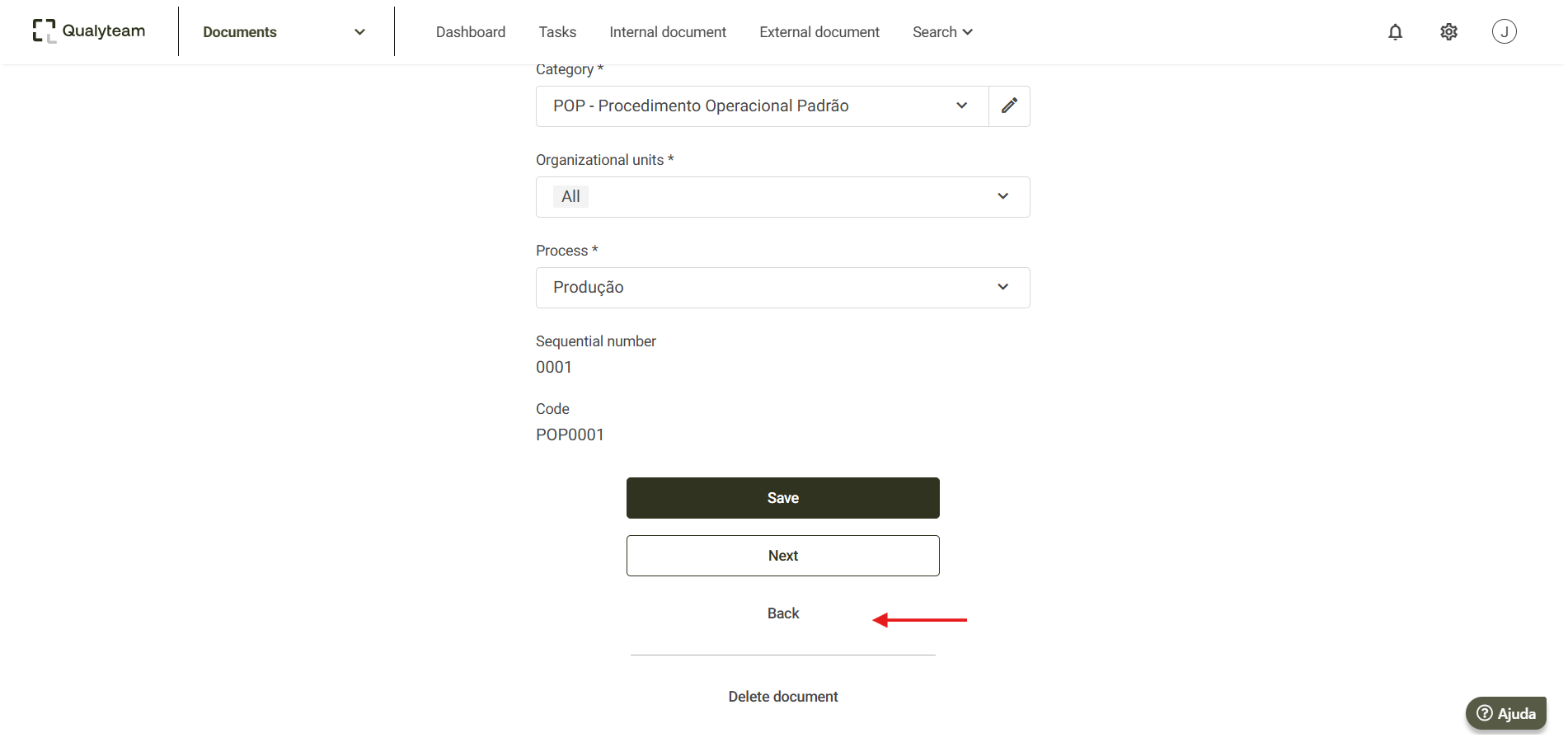
- The document register screen will open, where it is possible to make the appropriate changes.
- Make the necessary adjustments, then click on Save to save the changed information.
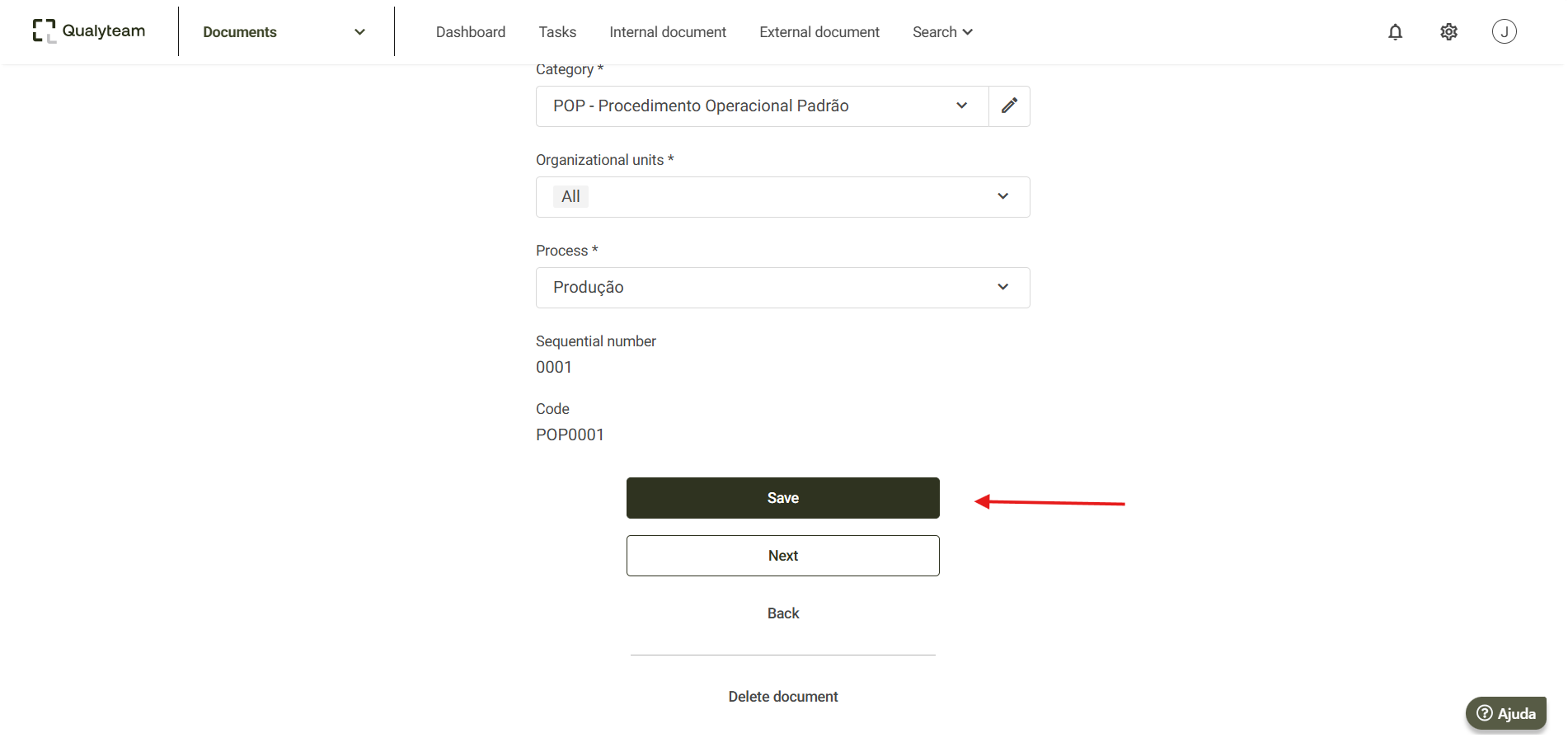
- To leave this screen without saving the changed information, click on Back.
Additional information
On the registration editing screen, it is also possible to delete the document. To learn more details click here.
If the document has associated documents, it will also be possible to access and edit these associated documents through the document details screen.
To do this, simply click on Associated documents and then on the document you wish to edit.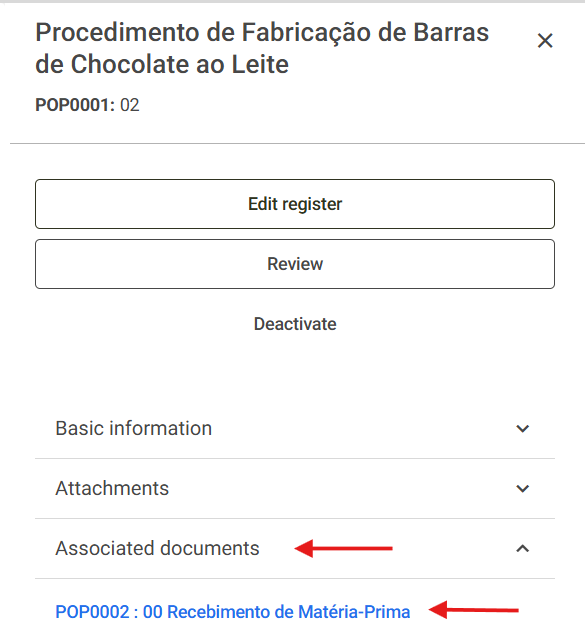
By clicking on the associated document, the system will redirect you to the document details screen, where you can view it and also edit it.