
Objective
The system allows document categories to be edited, enabling their settings to be updated whenever necessary.
Prerequisites
- To edit a category, the Register Internal Document permission must be enabled in the user's permission group, for more information about permission settings, click here.

Step-by-step
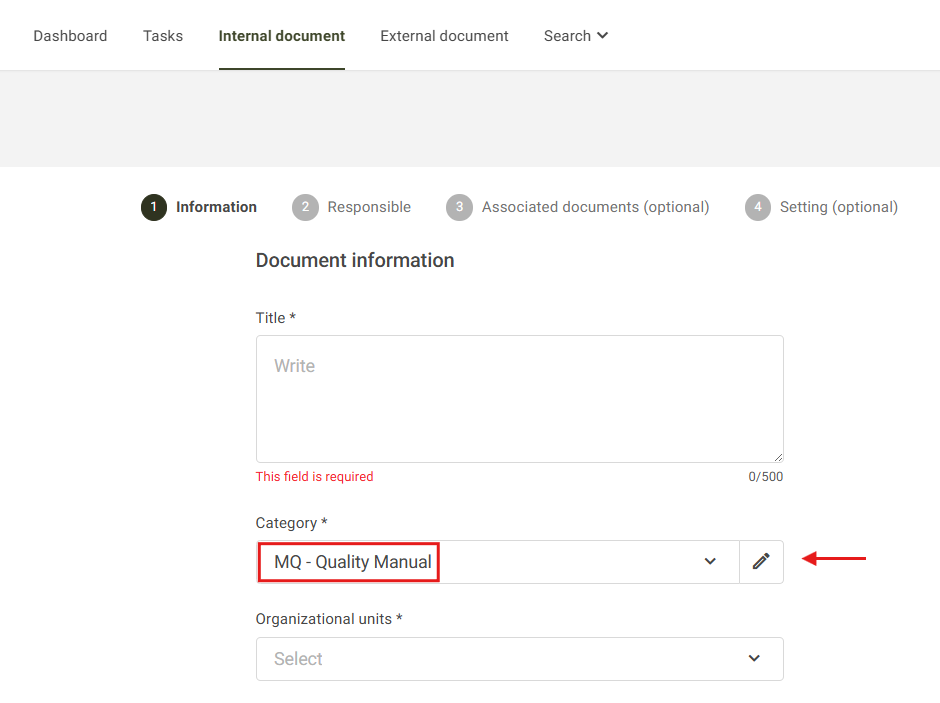
1. On the home screen, locate and click the Internal Document tab. Then, locate the Category field and select the category you want to edit. After selecting the desired category, click the pencil  .
.
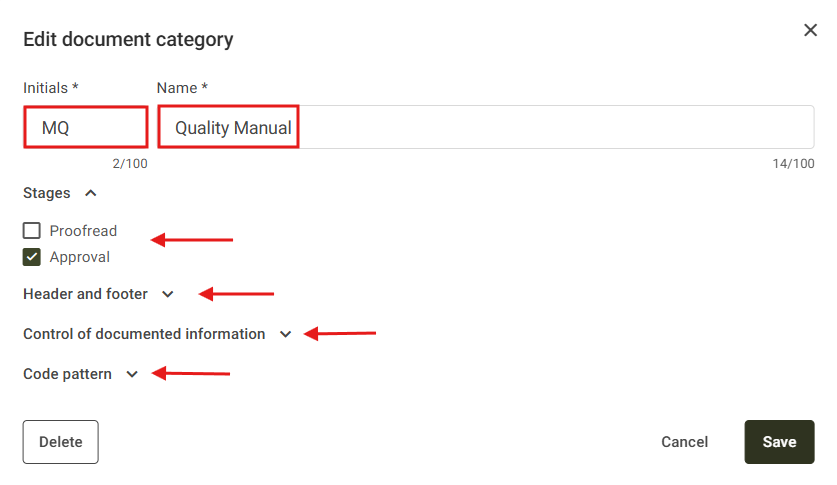
2. On the Category Edit screen, you can edit the desired fields. For more information about each field, click here.
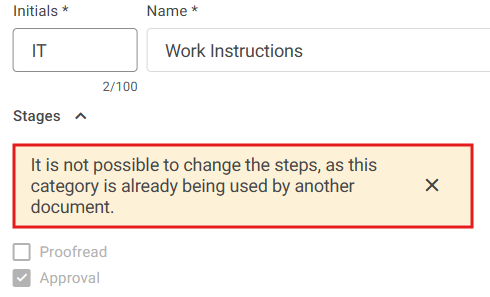
Note: If there are already documents registered under the category being edited, it will not be possible to add or remove workflow stages, as shown in the example below:
3. After making the necessary changes, click Save.
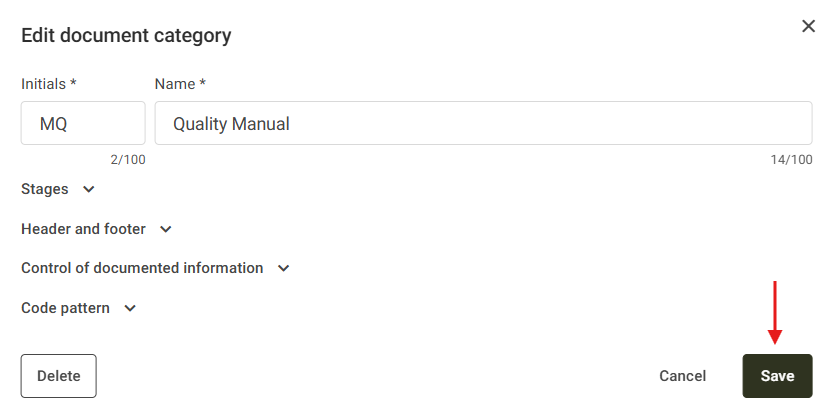
To confirm the action, the system will display a message indicating that the category has been saved successfully.