
Objective:
It is possible to delete existing origins through two tabs in the system: Register Occurrence and Register Nonconformity.
Index:
- Deleting an Origin Through the Register Occurrence Tab
- Deleting an Origin Through the Register Nonconformity Tab
Prerequisites:
- To delete an origin, you must have the Add Origin permission. For more information about the permissions for the Nonconformities module, click here.

- The origin cannot be in use in Occurrences and/or Nonconformities.
Step-by-step:
Deleting an Origin Through the Register Occurrence Tab
1.Access the Register Occurrence tab in the Nonconformities module.

2. Select the Origin you want to delete.
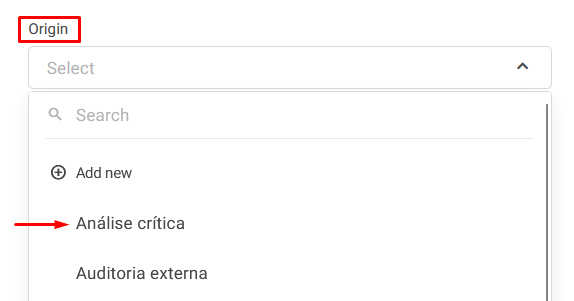
3. Click the Edit button next to the origin's name.

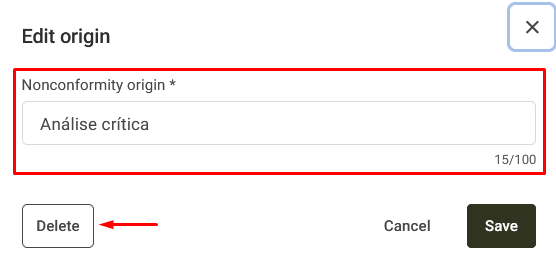
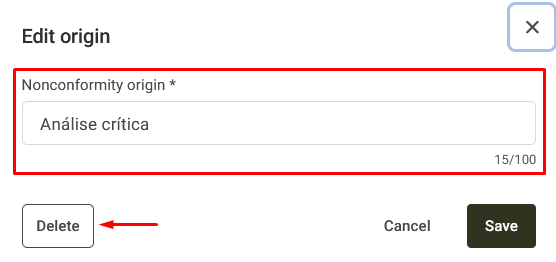
4. Click the Delete button.
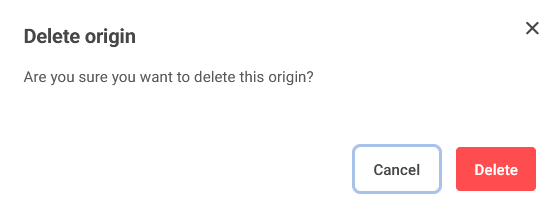
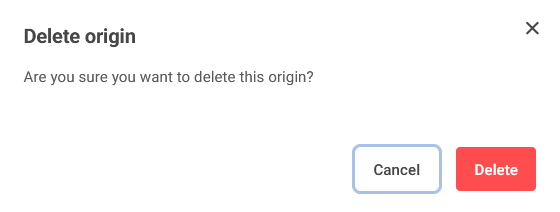
5. Confirm the deletion.
Deleting an Origin Through the Register Nonconformity Tab
1. Access the Register Nonconformity tab in the Nonconformities module.

2. Select the Origin you want to delete.
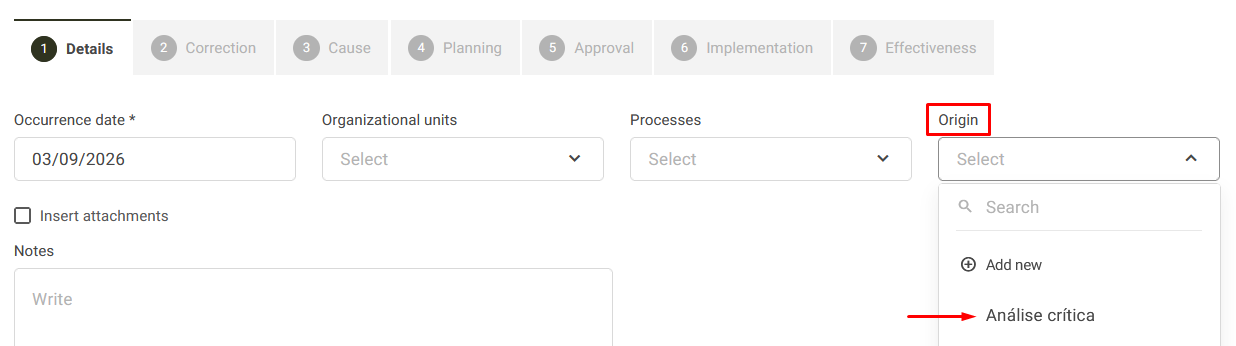
3. Click the Edit button next to the origin's name.

4. Delete the origin by clicking the Delete button.
5. Confirm the deletion.
Additional Information
WARNING: Once the deletion is confirmed, it will not be possible to recover the deleted origins.