
Objective
Guide the user on how to close an immediate action, presenting the available options for its completion.
Prerequisites
- Be responsible for the immediate action.
Step-by-step
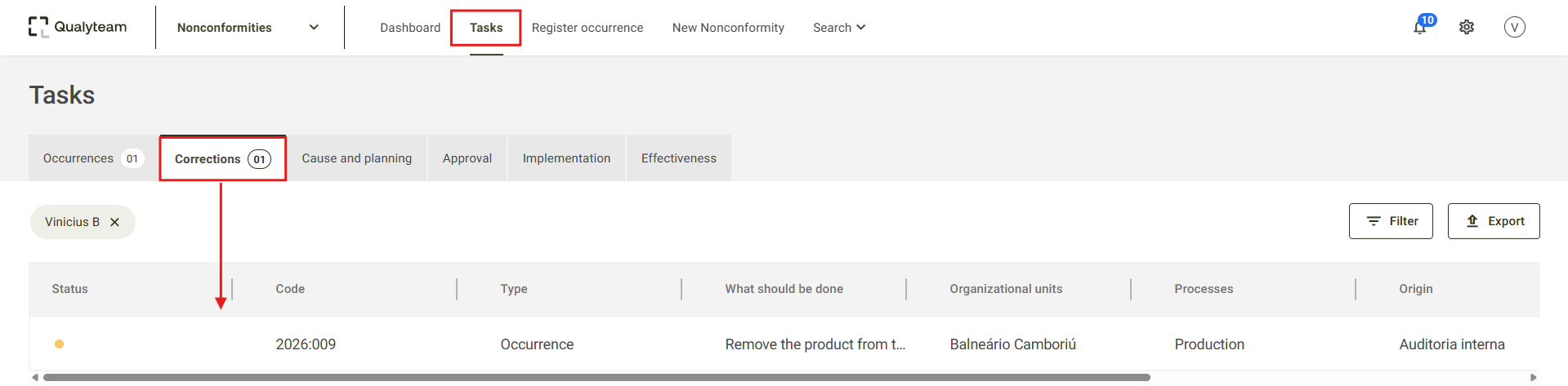
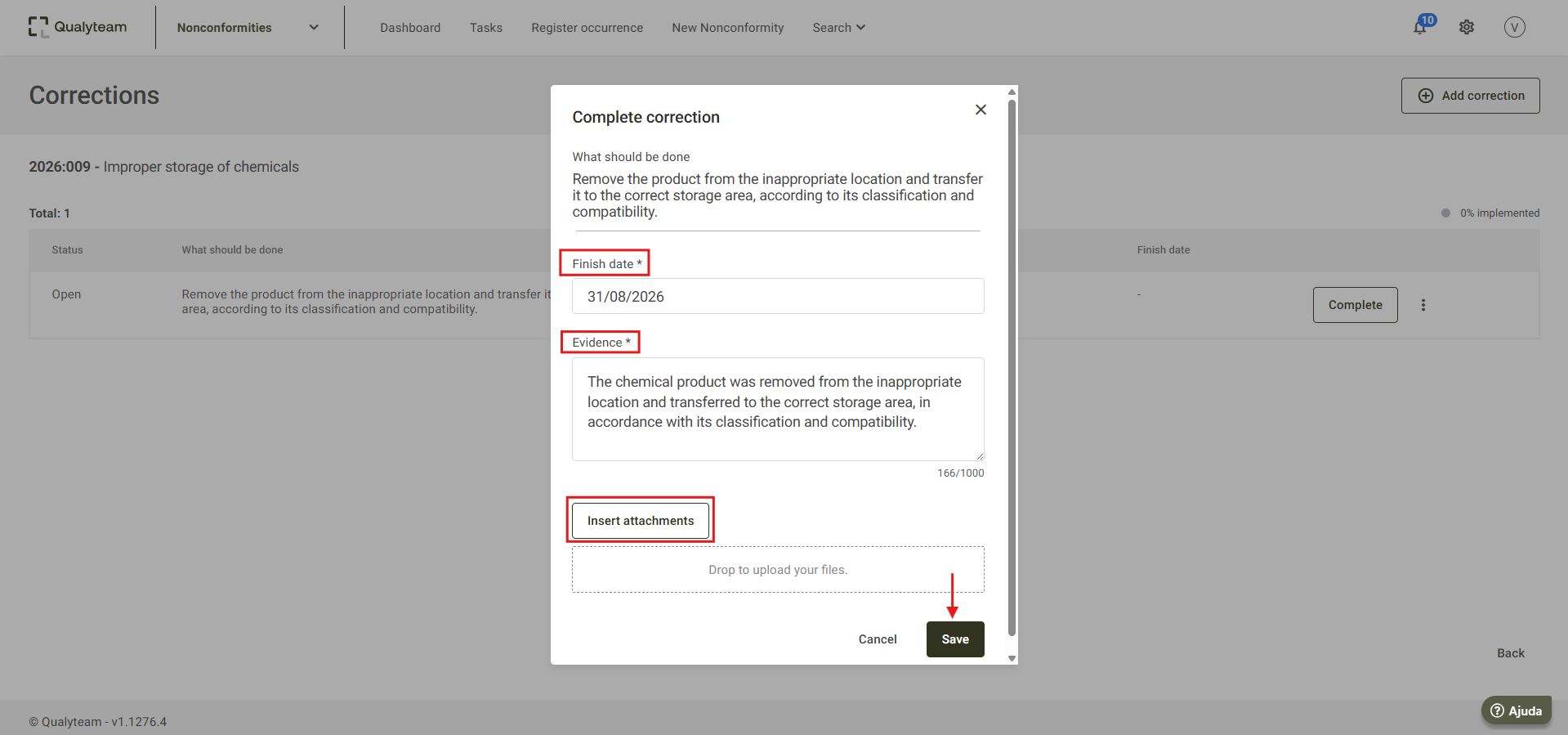
2. Fill in the required Finish date and Evidence fields, and then click Save. If necessary, add attachments using the Insert attachments option.
3. The system will display a confirmation message indicating that the immediate action has been closed.

Additional information
If any adjustments need to be made to an immediate action that has already been closed, the system allows you to edit it. For more information, click here.