Objective
Printing non-conformity reports may be necessary when you need to forward this information to a client or report it to a user who does not have access to the system.
Prerequisites
- Having the Search NCR permission allows the user to view non-conformities registered in the system. To learn more about permissions in the Non-Conformities module, click here.

Step by step
- To print the non-conformity report, access the query screen and search for the non-conformity you wish to print. To learn more about how to query a non-conformity, click here.
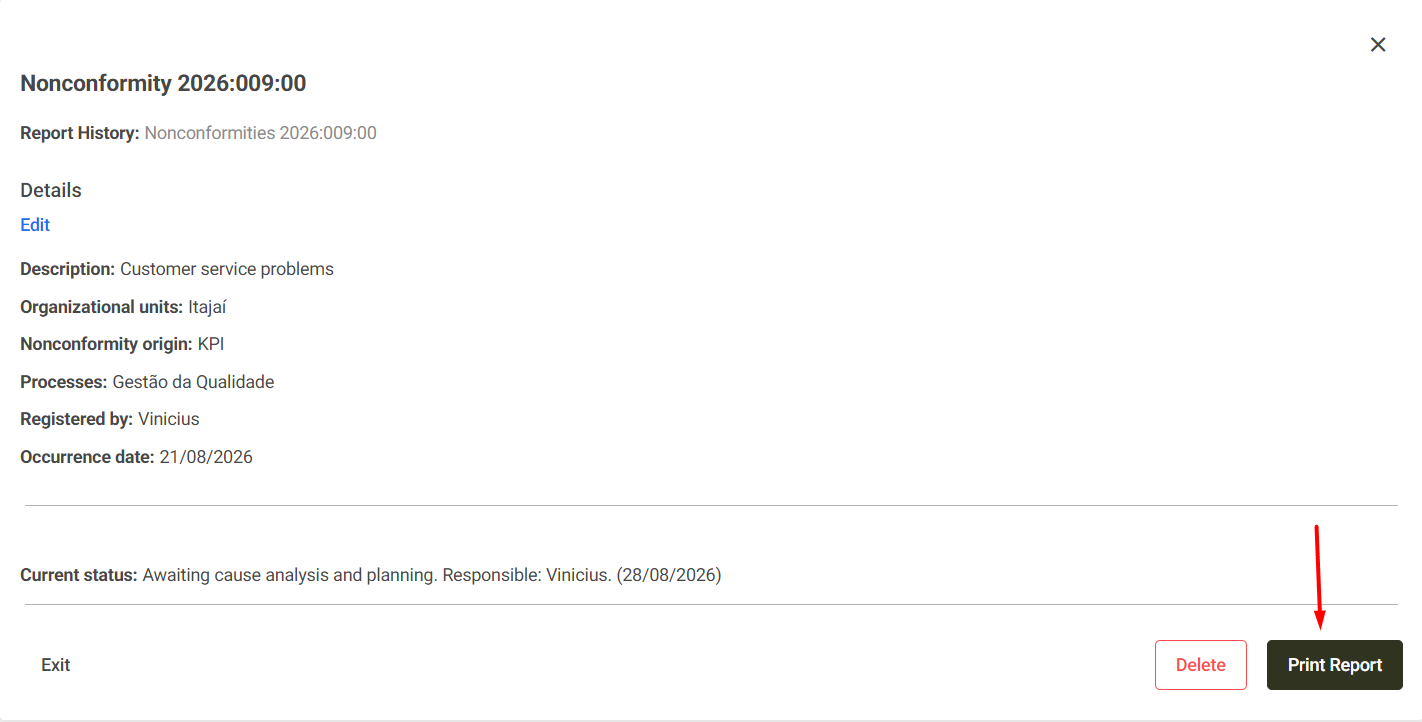
- When you open the non-conformity details screen, the Print report button will be available in the footer.
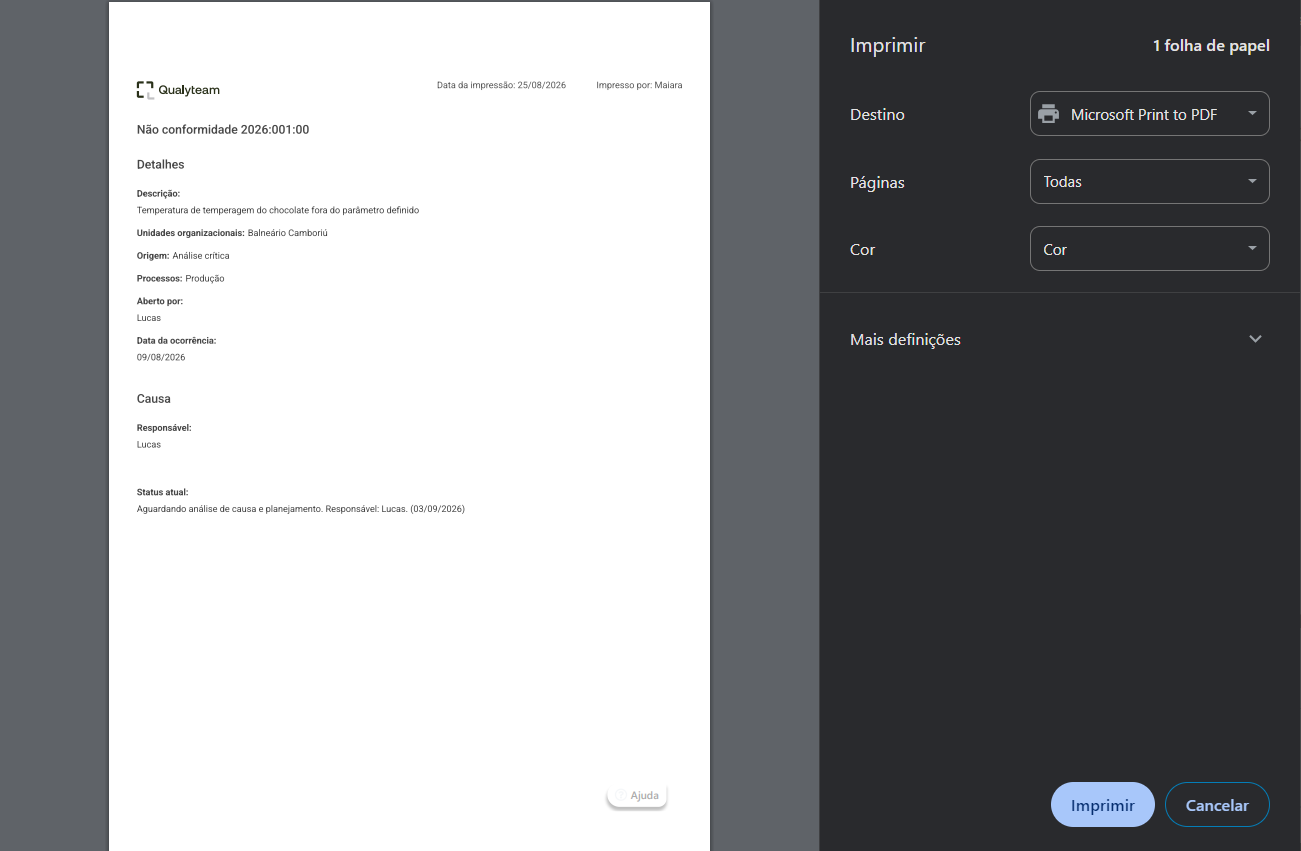
- Clicking on it will display the printer settings to adjust the printing. Click Print to confirm the print job or Cancel if you wish to preview how the printed report will be displayed or cancel the print job.