
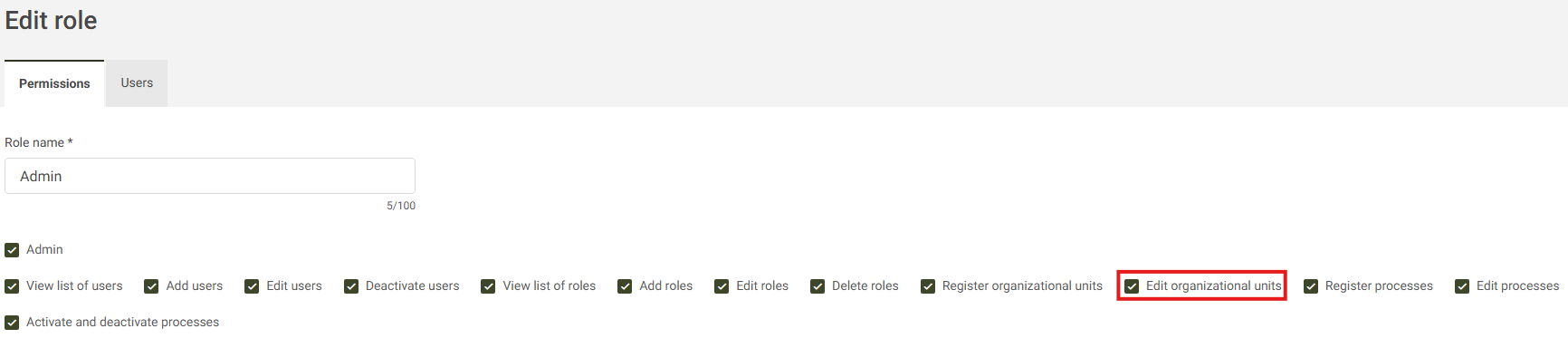
To edit an Organizational Unit, you must have the necessary permission enabled in your user role, as shown in the image below:
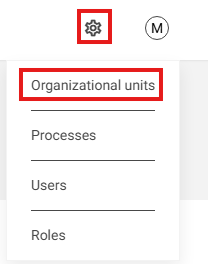
Access the gear icon to explore the settings, and then click on Organizational units:
Locate the Organizational Unit you wish to edit and click the pencil icon to begin editing:

On the edit screen, you can modify the Initials and Name of the Unit. After making the desired changes, click the Save button. The system will display a confirmation message indicating that the edit was successfully performed:
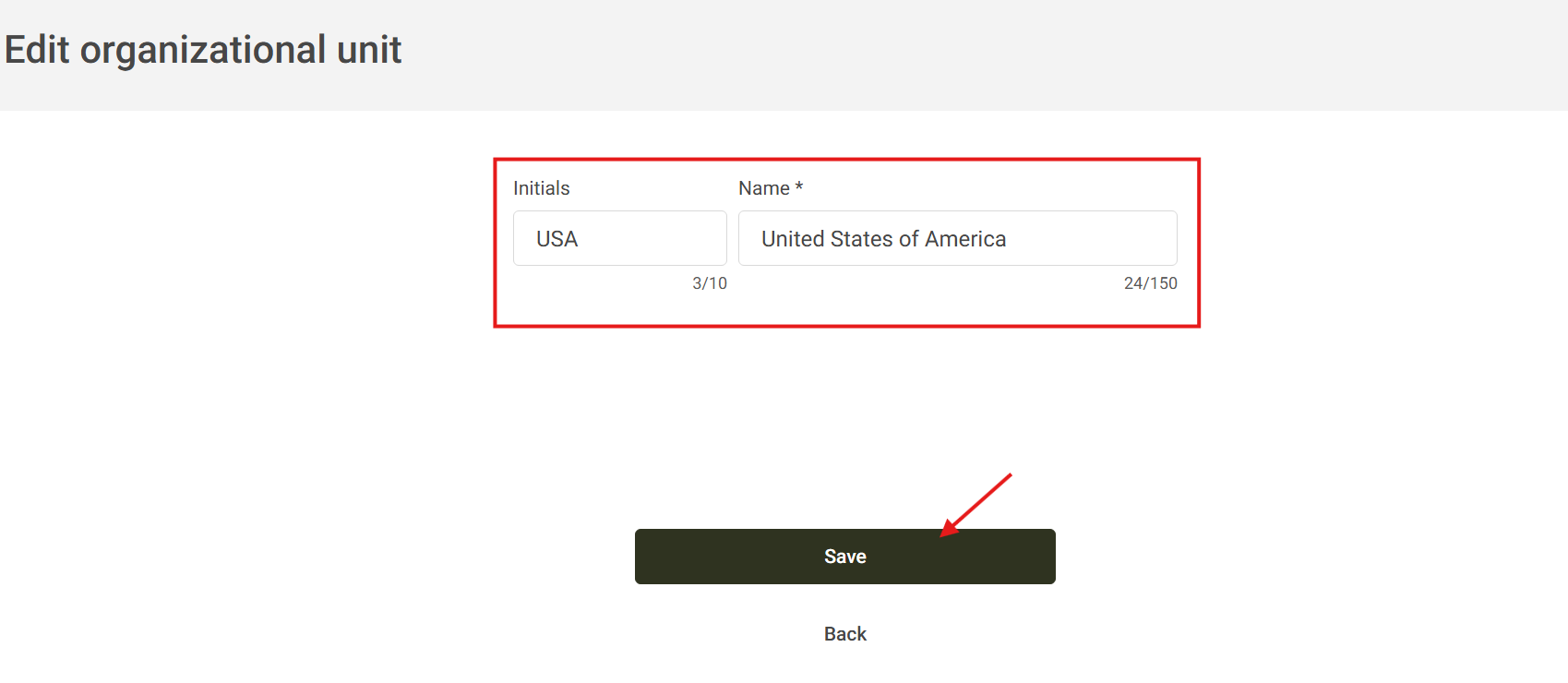

If you decide not to proceed with the edit, click the Back button to cancel the changes:
